Geotechnical logging software has evolved from simple digital forms into full workflow platforms that connect field data, soil boring logs, lab testing, and final reporting. As client expectations increase and project timelines shrink, firms can no longer rely on notebooks, spreadsheets, and disconnected systems.
This article explains how modern geotechnical logging software connects data from the field to the final report and why integrated workflows are becoming the industry standard.
For a foundational overview, see our complete guide to soil boring logs.
The Evolution of Geotechnical Logging
For decades, geotechnical engineers relied on handwritten logs, Excel spreadsheets, and standalone lab systems to manage drilling and testing data. Field crews recorded observations by hand, lab staff retyped results, and engineers manually merged files to produce final deliverables.
That approach worked when projects were smaller and timelines flexible. Today, firms face tighter schedules, higher QA expectations, and greater scrutiny of subsurface data.
Modern geotechnical logging software replaces fragmented tools with a connected system where soil boring logs, lab results, photos, and locations are captured digitally and shared in real time.
How Modern Logging Software Supports Soil Boring Logs
Soil boring logs sit at the center of most geotechnical investigations. Logging software ensures these logs are complete, consistent, and defensible.
Modern platforms allow teams to:
- Capture SPT blow counts, recovery, and USCS classifications in structured forms
- Record groundwater observations, refusal, and termination clearly
- Attach photos and GPS coordinates directly to each boring
- Maintain consistent formatting across projects and crews
You can see how this looks in practice in our annotated soil boring log example.
How Field and Lab Data Connect Through Logging Software
A connected geotechnical logging workflow links every stage of a project:
| Workflow Stage |
Traditional Process |
With Modern Logging Software |
| Field collection |
Manual notes, clipboard logs |
Digital forms capture SPT data, recovery, samples, and groundwater |
| Data transfer |
Manual retyping or spreadsheets |
Automatic sync from field to cloud |
| Lab testing |
Delayed start, disconnected results |
Lab work initiated from field record |
| Reporting |
Manual formatting |
Automated boring logs and cross-sections |
| Client delivery |
Email attachments |
Client portal with live reports and status updates |
This continuous data flow ensures technicians, lab staff, engineers, and clients all work from the same live dataset.
The Cost of Manual or Fragmented Systems
When field, lab, and reporting tools don’t connect, inefficiencies add up quickly:
- Re-entry errors: Miskeyed recovery or N values lead to rework and confusion.
- Report delays: Waiting for lab data or scanned field logs slows delivery.
- Duplicate effort: Technicians, lab staff, and PMs repeat work across systems.
- Limited visibility: Managers can’t see drilling progress or test status in real time.
- Compliance risk: Missing data or inconsistent formats create QA challenges.
These issues are amplified on projects with multiple boreholes, test pits, or phased investigations.
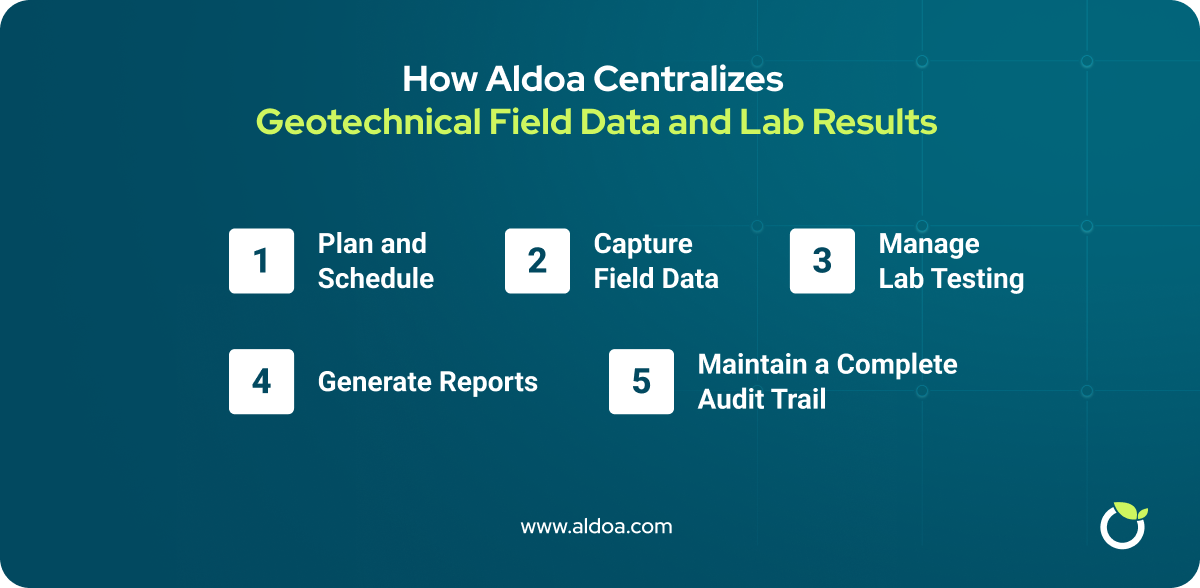
How Aldoa Centralizes Geotechnical Field Data and Lab Results
Aldoa eliminates data silos by connecting every step of your geotechnical workflow in one platform.
1. Plan and schedule
- Create and assign drilling or sampling jobs from a centralized dashboard.
- Notify crews with location maps, required tests, and safety notes.
- Track progress and technician workload in real time.
2. Capture data in the field
- Log sample intervals, recovery, SPT N values, and USCS classifications directly in digital forms.
- Attach photos, GPS points, and comments.
- Sync automatically to the project record — no more handwritten notes.
3. Manage lab testing
- Lab staff see upcoming samples before they arrive.
- As results are entered, they update the related borehole record instantly.
- Supports ForneyVault integration for CMT data traceability.
4. Generate reports
- Produce professional boring logs, well diagrams, and cross-sections using standardized templates.
- Export to PDF or CSV, or share securely through client portals.
5. Maintain a complete audit trail
Integrations That Streamline Your Workflow
- ForneyVault Integration – Automate lab result uploads and ensure traceable sample IDs across geotechnical and CMT workflows.
- Reporting Tools – Connect to your firm’s report templates for boring logs, summaries, and ASTM-compliant forms.
- Client Portals – Deliver reports instantly and give clients 24/7 access to project results.
These integrations keep projects moving without manual file transfers or redundant entry.
Where This Fits in a Digital Soil Boring Log Workflow
Geotechnical logging software works best when paired with dedicated soil boring log software that manages drilling data from capture through reporting.
To see how this workflow improves accuracy and turnaround time, read Digital Soil Boring Logs: Benefits for Geotechnical Firms.
For teams evaluating tools, our borehole logging software comparison provides a side-by-side overview of leading platforms.
Conclusion: Connected Geotechnical Logging Is the New Standard
Geotechnical logging software is no longer just about digitizing field notes. It is about connecting field data, soil boring logs, lab results, and reporting into a single, reliable workflow.
Firms that adopt connected systems reduce errors, deliver reports faster, and gain real-time visibility into projects. Engineers spend less time managing data and more time interpreting results.
Aldoa is built for this modern approach. It centralizes geotechnical field data, lab coordination, and reporting in one intuitive platform designed to scale with your team.
.svg "Aldoa Assets (3)")