Digital soil boring logs are replacing paper forms, spreadsheets, and legacy borehole logging software across geotechnical engineering firms. As projects grow more complex and clients expect faster turnaround, firms need soil boring log software that connects field data, lab testing, and reporting in one system.
Traditional workflows often rely on handwritten field notes, Excel templates, or outdated tools that require manual re-entry of data. This creates delays, transcription errors, and inconsistent boring logs across crews.
Modern geotechnical boring log software changes that. By capturing structured data in the field and connecting it directly to lab results and reporting, digital soil boring logs improve accuracy, speed up deliverables, and reduce operational risk.
This article explains what digital soil boring logs are, how they differ from traditional methods, and why modern geotechnical teams are adopting boring log software to improve data quality, turnaround time, and profitability.
For a complete overview of what goes into a soil boring log and how they are used in design, see our complete guide to soil boring logs.
What are digital soil boring logs?
Digital soil boring logs are electronic records of subsurface conditions collected, managed, and reported using software instead of paper forms or disconnected spreadsheets. They capture the same technical information as traditional logs, including:
- Boring location, elevation, and identifiers
- Drilling and sampling methods
- Sample intervals and recovery
- SPT N-values and driving resistance
- Soil descriptions and USCS classifications
- Groundwater observations and refusal
- Photos, notes, and timestamps
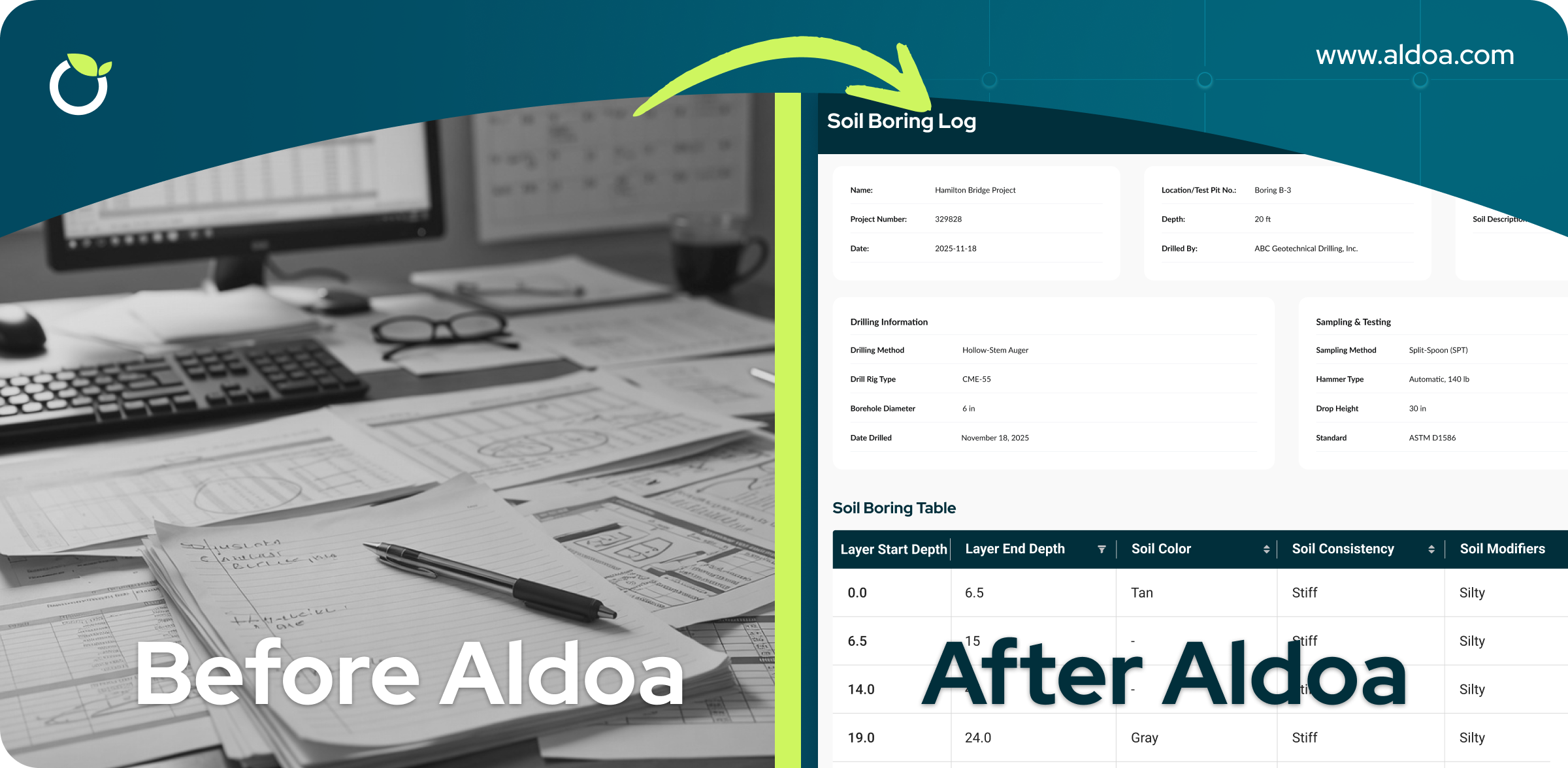
.png?width=1954&height=1402&name=Group%2027379%20(1).png) The difference is how the data is collected and managed. With digital soil boring logs, information is entered in structured forms in the field, validated automatically, and stored in a centralized system that connects field, lab, and project teams.
The difference is how the data is collected and managed. With digital soil boring logs, information is entered in structured forms in the field, validated automatically, and stored in a centralized system that connects field, lab, and project teams.
Why geotechnical firms are moving away from paper boring logs
.png?width=2400&height=1176&name=Spreadsheets%20Soil%20Boring%20Logs%20(1).png)
Paper soil boring logs have been standard practice for decades, but they introduce risk and inefficiency at nearly every stage of a project.
Common issues include:
- Illegible handwriting and missing fields
- Manual re-entry of field data into spreadsheets or reports
- Lost photos or unlinked supporting documentation
- Inconsistent soil descriptions between crews
- Delays between drilling, lab testing, and reporting
These problems increase the chance of errors, slow down report delivery, and make it difficult to defend data if questions arise later.
Digital soil boring logs eliminate many of these issues by enforcing consistency and creating a single source of truth for subsurface data.
Key benefits of digital soil boring logs
1. Higher data quality and consistency
Boring log software uses standardized fields, required inputs, and controlled vocabulary to ensure critical information is always captured. This reduces variability between crews and prevents missing recovery values, blow counts, or groundwater observations.
Consistent digital logs also make it easier for project managers and reviewers to compare borings across a site and identify anomalies early.
2. Faster field to lab handoff
With paper logs, lab staff often wait days for scanned field notes or manually entered spreadsheets before starting work.
Digital soil boring logs allow field crews to initiate lab tests directly from the borehole record. The lab can see upcoming samples, planned tests, and project context before samples even arrive. This shortens turnaround time and improves coordination between teams.
3. Reduced rework and transcription errors
Manual data transfer is one of the largest sources of error in geotechnical workflows. Each time information is retyped, there is a risk of mistakes.
Digital boring log software captures data once and carries it through the entire project lifecycle. Field observations, lab results, and final reports are all generated from the same dataset, reducing rework and improving confidence in the results.
4. Faster reporting and client delivery
Digital soil boring logs make it easier to generate professional deliverables, including:
- Boring logs
- Well diagrams
- Project summaries
- Appendices for geotechnical reports
Instead of assembling reports from multiple files and formats, teams can generate outputs directly from structured data. This helps firms meet tight deadlines and deliver results faster to clients.
5. Improved traceability and defensibility
Digital logs automatically link photos, coordinates, timestamps, and notes to each sample and boring. This creates a clear audit trail that is invaluable when:
- Answering client questions
- Supporting design decisions
- Responding to regulatory review
- Revisiting older projects
Having traceable, well-documented data reduces risk and strengthens the defensibility of engineering recommendations.
Digital soil boring logs vs spreadsheets
Some firms attempt to digitize boring logs using spreadsheets. While this is a step forward from paper, spreadsheets still have limitations.
Spreadsheets typically lack:
- Field-friendly mobile interfaces
- Validation rules for geotechnical data
- Integration with lab testing workflows
- Centralized project management and reporting
Dedicated boring log software is designed specifically for geotechnical data collection and management, making it more reliable and scalable as firms grow.
| Feature |
Paper Logs |
Spreadsheets |
Boring Log Software |
| Field validation |
None |
Limited |
Yes |
| SPT logging structure |
Manual |
Manual |
Built-in |
| Lab integration |
None |
Manual |
Integrated |
| Automated reports |
No |
Manual formatting |
Yes |
| Centralized review |
No |
No |
Yes |
| Audit trail |
Weak |
Weak |
Strong |
Digital soil boring log software vs legacy systems (including gINT)
Many firms moving to digital workflows are transitioning from legacy systems such as Bentley gINT, custom Access databases, or spreadsheet-based templates.
While these tools helped standardize logging in the past, they often present challenges today:
- Complex setup and rigid templates
- Limited integration between field and lab workflows
- Heavy desktop dependence
- Manual exports for reporting
- Difficult onboarding for new staff
Modern soil boring log software is designed differently. Instead of acting as a static logging template, it functions as a connected workflow system.
Key differences include:
- Mobile-friendly field data capture
- Structured forms with required fields and validation
- Built-in support for SPT logging and sampling intervals
- Real-time lab coordination
- Automated boring log and cross-section generation
- Centralized review and approvals
For firms evaluating alternatives to gINT or spreadsheet workflows, the goal is not just digitization. It is operational efficiency and visibility across projects.
How digital boring logs support geotechnical data management
Digital soil boring logs are a foundational component of broader geotechnical data management.
When boring data is structured and centralized, firms can:
- Maintain a single source of truth across field, lab, and PM teams
- Reuse historical data for future projects
- Improve internal review and QA processes
- Scale operations without adding administrative overhead
Effective geotechnical data management is no longer just about storage. It is about creating workflows that reduce friction and improve decision-making.
How to choose the right soil boring log software
Not all boring log software is built the same. When evaluating solutions, geotechnical firms should look for:
1. Field-first design: Mobile-friendly forms built specifically for SPT logging, sampling intervals, and soil classification.
2. Structured validation: Required fields, controlled vocabulary, and automated checks that prevent missing blow counts or recovery values.
3. Field-to-lab integration: The ability to initiate lab tests directly from the borehole record.
4. Centralized review workflows: Approval routing, comments, and version control built into the system.
5. Reporting efficiency: Automated generation of boring logs, diagrams, and appendices.
6. Ease of onboarding: Simple setup and guided implementation without months of configuration.
The right platform should reduce administrative overhead, not increase it.
What a fully digital soil boring log workflow looks like
To understand the impact of digital boring logs, consider a typical project lifecycle:
- Dispatch and Planning: A work order is created and assigned to a field technician. The correct boring log form, sampling intervals, and project details are attached in advance.
- Field Data Capture: The technician logs sample intervals, recovery, SPT N-values, groundwater observations, and soil classifications in structured forms. Required fields prevent incomplete submissions.
- Photo and Location Documentation: Site photos and geolocation data are attached directly to the boring record. No separate camera uploads or email threads.
- Lab Coordination: Required lab tests are initiated directly from the boring log. Lab staff see upcoming samples before arrival.
- Review and QA: Project managers review logs in a centralized inbox, request revisions if needed, and approve for reporting.
- Report Generation: Professional boring logs and appendices are generated directly from structured data without manual reformatting.
Instead of juggling spreadsheets, PDFs, and shared drives, the entire workflow operates inside one system.
How Aldoa supports digital soil boring logs
Aldoa is modern soil boring log software built specifically for geotechnical and construction materials testing firms. Instead of functioning as a static logging template, Aldoa connects dispatch, field logging, lab testing, review, and reporting in a single platform.
With Aldoa, firms can:
- Capture soil boring logs digitally in the field using structured forms
- Log sample intervals, recovery, and SPT N-values once
- Attach photos, notes, and location data directly to each boring
- Initiate lab tests from the field and track progress
- Generate professional boring logs and project reports faster
By connecting field and lab workflows in one system, Aldoa helps teams improve data quality, reduce turnaround time, and deliver better outcomes for clients.
Ready to replace spreadsheets and legacy logging tools?
If your team is still managing boring logs through paper forms, Excel templates, or disconnected systems, it may be time to modernize your workflow.
Aldoa helps geotechnical firms:
- Reduce transcription errors
- Shorten report turnaround time
- Improve consistency across crews
- Centralize field and lab data
- Scale operations without increasing administrative overhead
👉 Schedule a demo to see how digital soil boring logs work in practice.
Frequently asked questions about digital soil boring logs
.svg "Aldoa Assets (3)")